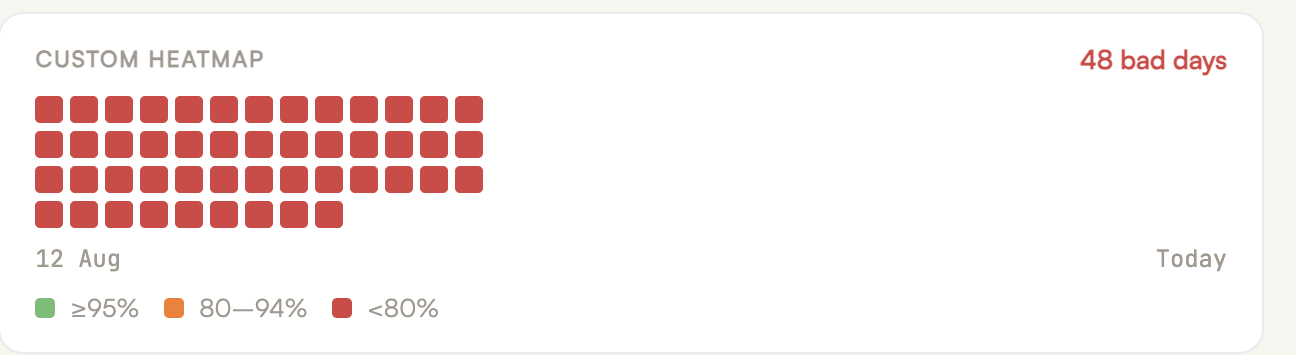

Every unhardened parked domain you own is impersonation infrastructure waiting to be used against your company.
We have access to 119 GoDaddy and 54 Cloudflare accounts — thousands of domains across our clients' portfolios. That access gives us something most security advice lacks: a real-world sample of how organizations actually configure the domains they aren't using.
The answer is: they don't.
Almost nobody hardens parked domains. The vendors selling DMARC monitoring don't even do it on their own. The best case we've found across all of those portfolios was an IT manager who set p=reject on the company's parked domains — and that covered one of the four protective records that should be there.
This post covers what those four records are, the exact syntax for each, why they work, and the practical snags you'll hit deploying them.
Why a Domain You Never Use Is a Security Problem
A parked domain doesn't send email, doesn't host a website, and doesn't show up in anyone's monitoring. That invisibility is exactly what makes it useful to an attacker.
Without protective DNS records, anyone, from any IP address in the world, can send email claiming to come from your parked domain. The receiving server has nothing to check the message against — no SPF record to fail, no DMARC policy instructing it to reject. The message gets evaluated on content alone, and a well-crafted phishing email passes that test more often than anyone would like.
The problem compounds for domains acquired through M&A. The acquired brand domains we audit still carry warm sender reputation from five to ten years of legitimate sending before the acquisition. For a scammer, that's gold: a domain that mailbox providers remember as a trustworthy sender, now sitting unmonitored in a registrar account nobody logs into.
And these aren't messages targeting strangers. Impersonation from your own parked domains targets the people who already trust your brand — your clients, your vendors, your employees. Defensive registration alone makes this worse, not better: the fact that you legitimately own the lookalike domain can convince partners that mail from it is genuine.
This is the same category of risk we documented in our research on the Hazy Hawk hijacking .edu subdomains at 34 US universities: forgotten DNS is not neutral. It's attack surface with your name on it.
The Four Records Every Parked Domain Needs
The UK's National Cyber Security Centre publishes parked-domain guidance for the public sector, and M3AAWG has maintained best-practice recommendations since 2015. The configuration below is consistent with both. It takes about five minutes per domain in a DNS dashboard.
1. Null MX — refuse all inbound mail
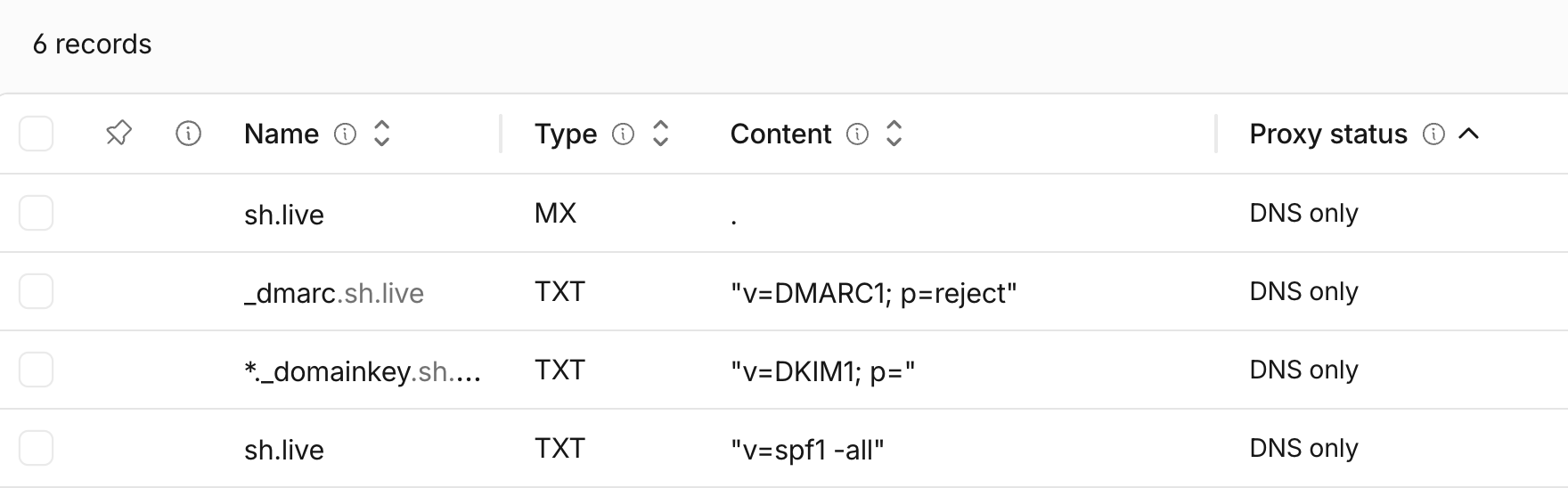
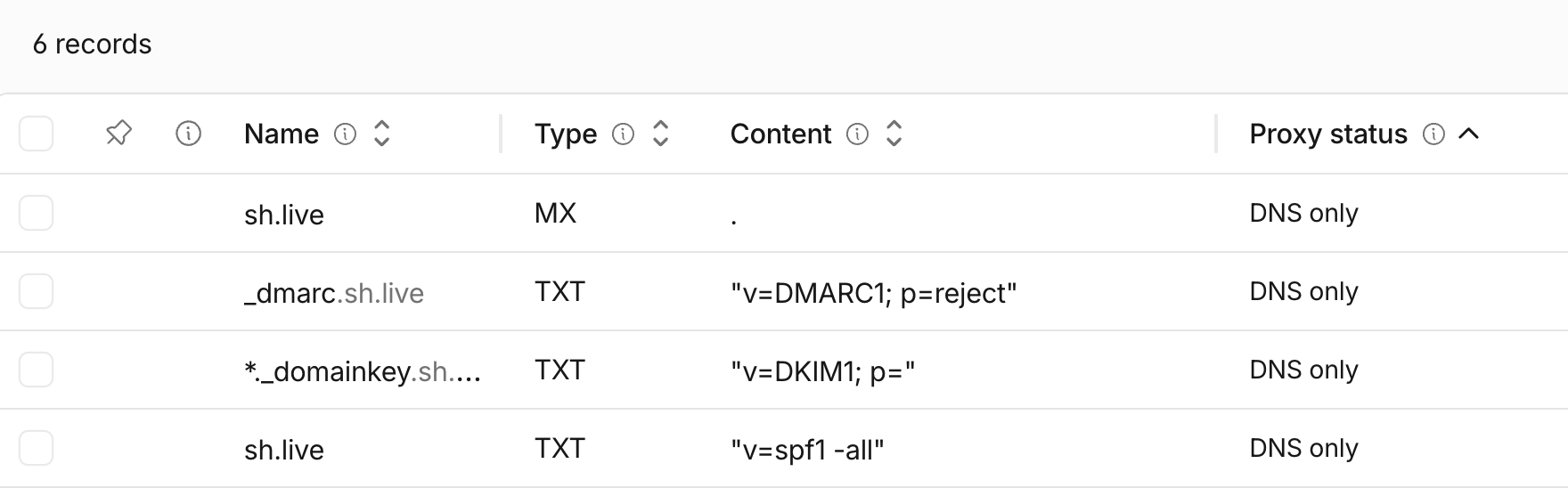
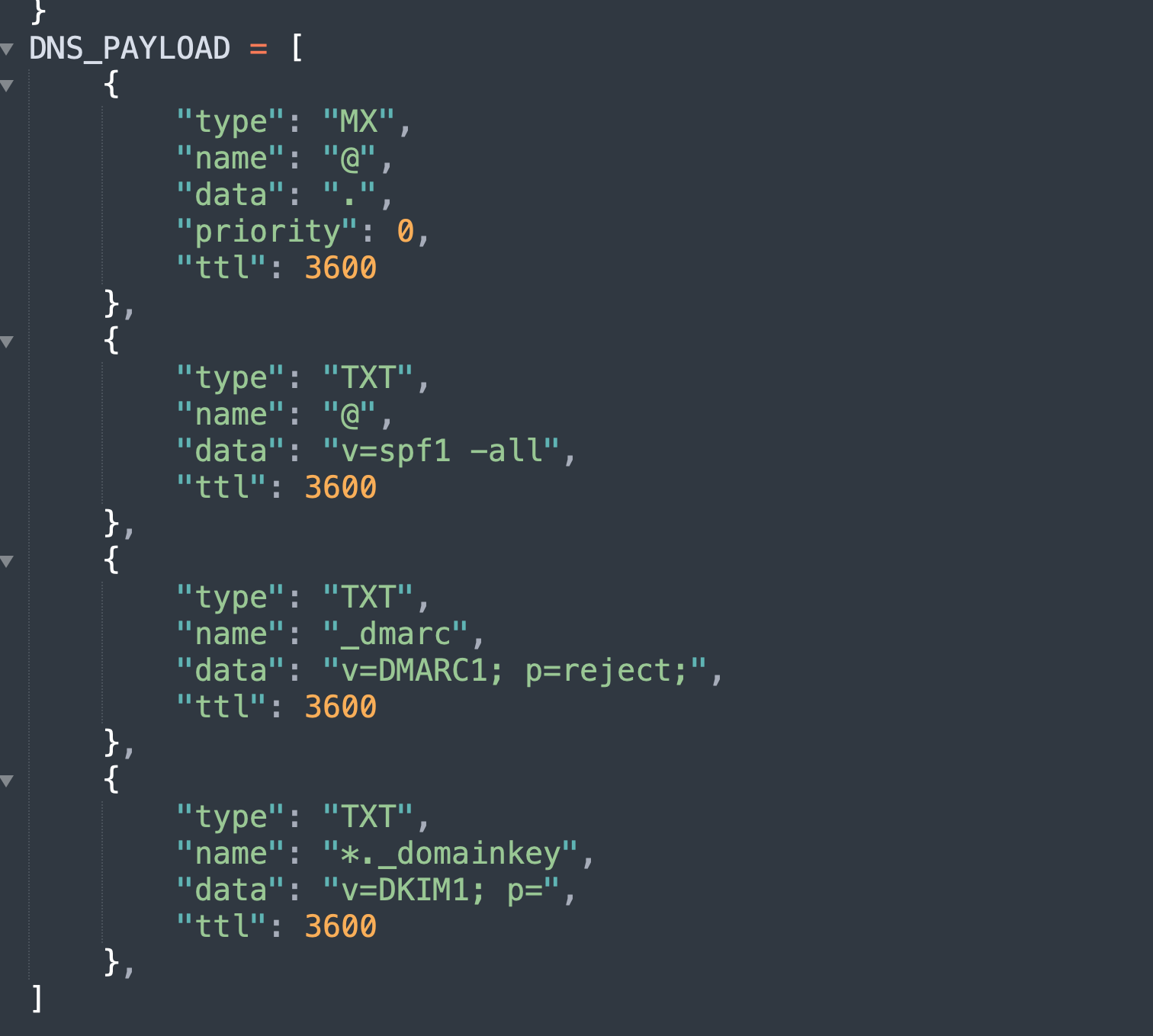
example.com MX 0 .
The null MX also kills a quieter abuse pattern: attackers using your parked domain as a reply-to address, with responses flowing somewhere you can't see.
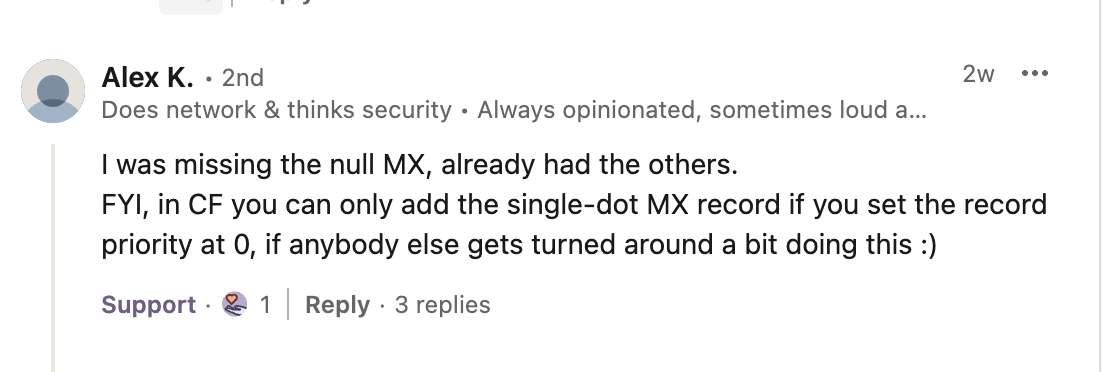
Practical snag: Cloudflare's dashboard will only accept the single-dot MX record if you set the priority to 0 — credit to Alex K. for flagging this in the discussion of our original post, since the error message won't tell you why it's rejecting the record. In Route 53, the equivalent entry is . 0.
2. SPF with no permitted senders
example.com TXT "v=spf1 -all"
3. DMARC at p=reject
_dmarc.example.com TXT "v=DMARC1; p=reject"
This is the one record we occasionally find already in place. It's necessary, but on its own it leaves the other three gaps open.
4. Wildcard DKIM revocation
*._domainkey.example.com TXT "v=DKIM1; p="
Some DNS interfaces won't accept all four records. Implement as many as the interface allows — each one independently closes a gap.
We hardened 364 parked domains for one real estate group
Here's what we found and how it was fixed.
Read the case studyWhat About RUA Reporting on Parked Domains?
A fair question that came up repeatedly in the discussion of our original post: shouldn't the DMARC record include a rua address so you can see spoofing attempts?
Our position: RUA on parked domains is noise, especially at scale. If you're managing hundreds or thousands of parked domains, aggregate reports from all of them will bury the signal from the domains you actually need to watch. The records above don't need feedback to work — rejection happens at the receiving server whether or not you're reading reports.
The exception is high-value enterprise brands, where a sudden spike in DMARC reports for a supposedly dormant domain is a useful threat-intelligence tripwire — an early indicator that someone is probing or actively abusing the name. If you have a DMARC platform already aggregating reports and an analyst who will act on anomalies, add the rua. If the reports will land in an unread mailbox, leave it out.
Do You Need np=reject and sp=reject Too?
Another recurring debate: should the parked-domain DMARC record include sp=reject for subdomains, or the new np tag introduced in RFC 9989 for non-existent ones?
Technically, no — it's redundant. When p=reject is set and no sp tag is present, the policy automatically inherits to every subdomain, existing or not. Some practitioners add it anyway as an explicit signal that subdomains are covered, and the habit does no harm. But it changes nothing about enforcement, and the same inheritance logic makes separate subdomain DMARC policies unnecessary on active domains as well. Publish p=reject at the organizational domain and the subdomain tree is closed.
Beyond the Email Baseline
Two additions worth knowing about, even though they fall outside the four-record email baseline.
CAA records. A parked domain with no CAA record allows any certificate authority to issue a certificate for it — which matters the moment an attacker gains any degree of DNS control. For a pure parked domain, 0 issue ";" (authorizing no CA at all) is the right call. Credit to Dylan Bouterse and Varun Jain for pushing this point in the thread; it belongs on the full parked-domain checklist even though we scoped our original post to the email attack surface.
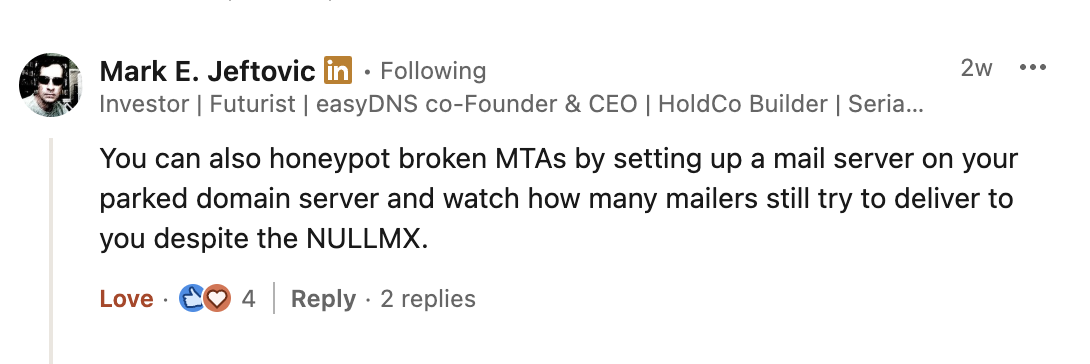
Null MX honeypots. Mark E. Jeftovic of easyDNS shared a clever extension: stand up a mail server on a parked domain anyway and watch how many broken MTAs still attempt delivery despite the null MX. Log the message contents and you get a free feed of the phishing templates being aimed at your domains. Not a baseline control — but a genuinely useful intelligence source for anyone running domain portfolios at scale.
The Inventory Problem
The hardest part of this work usually isn't the DNS records. As Geir Rasmussen put it in the discussion, most organizations don't actually know what they hold — defensive registrations from a decade ago, brand variants bought for a campaign, names inherited through acquisitions, domains sitting in a registrar account nobody has credentials for. You can't harden what you can't see.
So the real workflow looks like this:
- Inventory. Pull domain lists from every registrar account, expense reports, certificate transparency logs, and acquisition paperwork. Expect surprises.
- Classify. Separate active senders from parked domains. Anything that hasn't legitimately sent mail in the last year is parked until proven otherwise.
- Harden. Apply the four records. Manually, this is five minutes per domain. At portfolio scale, it's a basic script against the registrar or DNS provider API — Cloudflare, GoDaddy, and Route 53 all support bulk record deployment. That's how we locked down 364 domains for one Nashville real estate group in a single GoDaddy API run.
- Default for new registrations. Make the four records part of the registration workflow so every new domain is born hardened.
If you landed here because a parked domain you own is being blocked — by a firewall, a security gateway, or a blocklist — that's a different problem from hardening. We cover the three causes and the fix for each in Parked domain blocked? Why it happens and how to fix it.
DMARC enforcement on parked domains will stop the opportunistic spoofing that makes up the bulk of the threat, though as with any control, p=reject reduces spoofing without guaranteeing full protection — determined attackers move to lookalike domains and other techniques once direct spoofing is closed. That's an argument for layered monitoring, not against the baseline. Four DNS records. Five minutes per domain, or one script for the whole portfolio. No maintenance once deployed. It is the cheapest, highest-leverage security work in your stack — and if your domain portfolio has grown past the point where anyone remembers what's in it, our email security practice does exactly this kind of portfolio-wide audit and hardening — here's what it looked like across a real 364-domain portfolio.
Want a second look at your email security setup?
Free domain review covering DMARC, SPF, and spoofing risks.
Book a 30-Minute Call