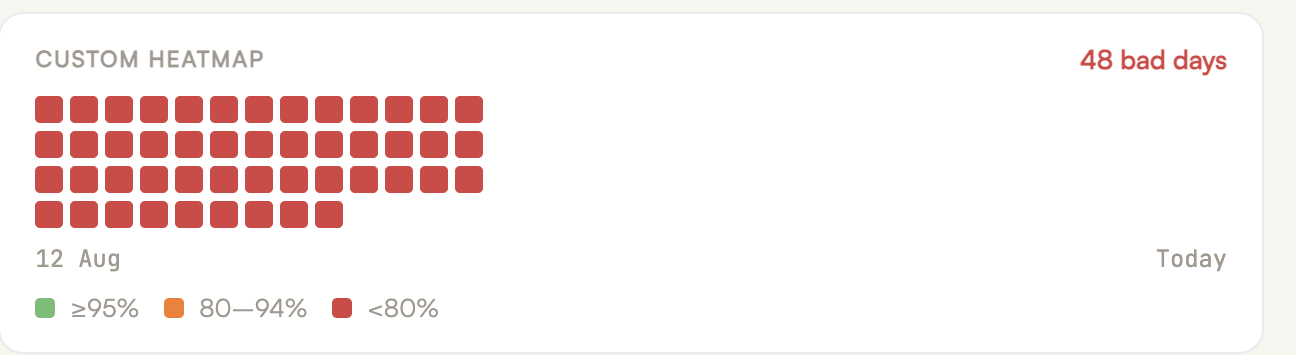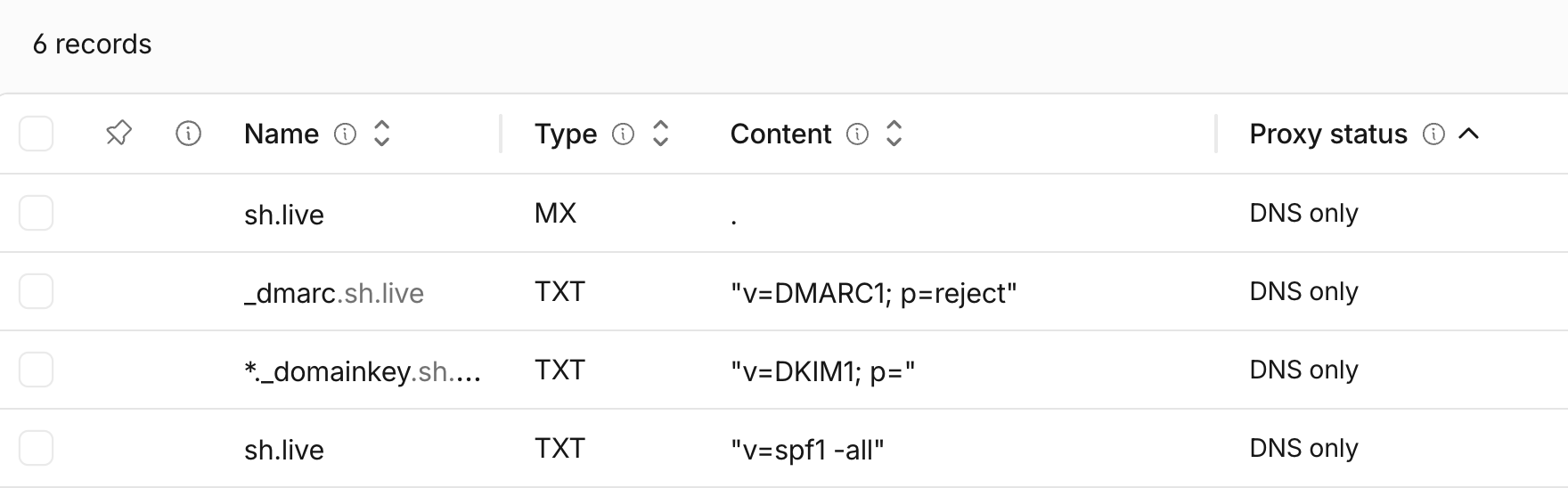


Your DMARC policy is set to "none". That means it's doing nothing.
DMARC at p=none is monitoring mode. It tells receiving mail servers to deliver everything, regardless of whether it passes authentication — and optionally send you reports about what failed. It doesn't block spoofing. It doesn't protect your domain reputation. It doesn't prevent bad actors from sending phishing emails that look like they came from your organization.
Most domains start at p=none during initial DMARC deployment, and that's correct. The problem is that most domains stay there. They never move to enforcement, either because nobody is reviewing the reports, because the process seems risky, or because someone on the team once heard that enforcing DMARC "breaks email".
It doesn't have to. Moving from p=none to p=reject is a well-understood process. But it requires preparation, patience, and a clear understanding of what you're protecting and what can go wrong if you rush it.
Why p=none Is Dangerous
A DMARC policy of p=none means anyone in the world can send email pretending to be your domain, and receiving mail servers will deliver it. The policy explicitly tells them: don't take any action on authentication failures.
This isn't theoretical. When we audit domains with p=none and review their DMARC reports, we regularly find spoofing activity — emails originating from IP addresses in countries where the organization has no operations, sent through mail servers they've never heard of, to recipients they've never contacted. Sometimes it's a handful of messages. Sometimes it's hundreds per month.
These spoofed emails damage your domain reputation because recipients who receive them mark them as spam, report them as phishing, or simply never engage. Mailbox providers like Gmail factor all of this into your domain reputation score — they don't distinguish between email you sent and email someone else sent using your domain. If your domain reputation drops from "High" to "Medium" or worse, your legitimate email starts landing in spam.
The longer you stay at p=none, the longer your domain is exposed. We've documented cases where DMARC misconfigurations exposed sensitive email infrastructure data for years — long after the original policy decision was forgotten. And the spoofing doesn't stay small. Attackers who discover an unprotected domain tend to ramp up volume over time.
Move to p=reject without breaking anything
Fixed-fee enforcement program, typically 30 days.
Book a 30-min callBefore You Touch the Policy: Fix Authentication First
The single most important rule of DMARC enforcement is this: never change the policy until every legitimate mail stream is properly authenticated. If you move to p=quarantine or p=reject while legitimate email is failing DKIM or SPF, you'll block your own messages.
This means auditing every service that sends email using your domain — not just the ones you remember setting up. The typical organization has more sending sources than anyone on the team realizes.
Inventory every sender. Google Workspace or Microsoft 365 for corporate email. Your CRM. Your marketing automation platform. Your transactional email service. Your helpdesk. Your billing system. Your project management tool that sends notifications. That one-off platform someone in sales signed up for two years ago. Every one of these needs proper DKIM and SPF configuration for your domain. Some enterprise platforms have authentication gaps that the inventory step won't surface — for example, Microsoft 365 Groups can bypass DMARC and expose organizations to spoofing in ways most IT admins don't realize.
Fix DKIM signatures. DKIM is the primary authentication mechanism that DMARC evaluates. Every sending platform should have its own DKIM key configured and aligned with your domain. We routinely find DKIM signatures that were configured correctly at setup but broke during a migration — a website provider changed, a CRM was swapped, DNS records were moved to a new provider, and nobody verified that the DKIM records came along. We've also found DKIM records applied to www.example.com instead of the root domain, DKIM records with expired TTL values that cause validation failures at Microsoft (a known issue with DNS providers that enforce high minimum TTLs), and duplicate DKIM entries that create ambiguity for receiving servers.
Clean up SPF. SPF records accumulate cruft over time. Old services that are no longer in use but still listed. Include statements for providers that send from subdomains (where SPF on the root domain is unnecessary). Multiple SPF records on the same domain (which is invalid). SPF records that exceed the 10-lookup limit. Clean it up so your SPF record reflects only the services currently sending email from your root domain.
Authenticate every platform on subdomains too. If you use subdomains for different mail streams (e.g., mail.example.com for marketing, app.example.com for transactional), each subdomain needs its own authentication. DMARC applies to the domain in the From header, so every domain and subdomain you send from needs to pass authentication independently.
The goal of this phase is simple: when you review your DMARC reports, 100% of your legitimate email should show DKIM pass and SPF pass with proper alignment. If anything legitimate is still failing, fix it before moving on.
Set Up Monitoring Before Enforcement
You can't enforce what you can't see. DMARC monitoring is what makes enforcement safe.
At minimum, your DMARC record should include a rua tag that specifies where aggregate reports are sent. These reports come from receiving mail servers (Gmail, Microsoft, Yahoo, etc.) and tell you which IP addresses are sending email using your domain, whether those messages passed or failed DKIM and SPF, and what volume is coming from each source.
Raw DMARC reports are XML files that are effectively unreadable without tooling. Use a DMARC monitoring service to collect, parse, and visualize this data. What you're looking for:
Legitimate sources passing authentication. Every service you identified in the inventory phase should appear in the reports with DKIM pass and SPF pass. If something legitimate is failing, you have a configuration problem to fix before enforcement.
Unauthorized sources. IP addresses and mail servers you don't recognize sending email from your domain. This is the spoofing traffic you're trying to block. Document it — the volume, the IP ranges, the destination mail servers. This data is your justification for enforcement.
Forwarded email. Forwarded messages frequently fail SPF (because the forwarding server's IP isn't in your SPF record) and sometimes fail DKIM (if the forwarding server modifies the message). This is normal and expected. In the vast majority of cases, the benefit of DMARC enforcement far outweighs the small number of forwarded messages that might be affected.
Beyond DMARC reports, set up Google Postmaster Tools and Yahoo Postmaster Tools to monitor domain reputation and spam complaint rates. Create standard abuse@ and postmaster@ email addresses to receive feedback loop data. The more visibility you have, the more confident you can be when you flip the switch.
How long to monitor at p=none: This depends on the complexity of your sending environment. For organizations with five or six sending platforms, a few weeks of clean reports may be sufficient. For large enterprises with dozens of sending sources across multiple departments, monitoring for two to three months is more appropriate. The criterion isn't time — it's confidence. Move forward when you can account for every legitimate source in your reports and every one of them is passing authentication.
Move to p=quarantine First
The conventional advice is to move from p=none to p=quarantine before going to p=reject, and this step is important even when you're confident in your authentication.
With p=quarantine, messages that fail DMARC authentication are routed to the recipient's spam or junk folder rather than being rejected outright. This gives you a safety net. If you missed a legitimate sending source during your audit — an automated system nobody mentioned, a regional office using an unapproved tool, a third-party vendor sending on your behalf — those messages land in spam rather than being silently rejected. Users notice and report the problem, and you can fix the authentication before moving to full enforcement.
The quarantine phase is where you discover the things you didn't know you didn't know. We've seen cases where enforcing DMARC at p=reject overnight across a large organization blocked millions of emails because teams under the corporate umbrella were using sending platforms that weren't aligned with the approved tech stack. Marketing operations with active spend tied to unsupported systems were suddenly locked out. From a security standpoint, the decision to enforce was correct — but doing it abruptly, without the quarantine phase, created an operational crisis that could have been avoided.
Use the pct tag to roll out gradually. DMARC supports a pct parameter that specifies the percentage of failing messages the policy applies to. Start with pct=10 to apply quarantine to only 10% of failing messages. Monitor for a week. If nothing breaks, increase to 25%, then 50%, then 100%. This gives you granular control over the rollout and limits the blast radius of any misconfiguration.
How long to stay at quarantine: Again, this is about confidence, not calendar time. If your reports are clean after two to four weeks at pct=100 quarantine — all legitimate sources passing, no unexpected failures — you're ready for reject.
Move to p=reject
With p=reject, receiving mail servers are instructed to reject messages that fail DMARC authentication. The message isn't delivered to spam — it's rejected entirely, and the sending server receives a bounce notification.
This is the endgame. At p=reject, spoofed email from unauthorized senders is blocked before it reaches recipients. Your domain is protected from impersonation. The negative reputation signals from spoofed traffic stop accumulating. And the hundreds of phishing emails that were being sent from your domain each month simply stop getting through.
If you've done the preparation work — authenticated every legitimate source, monitored reports, run quarantine successfully — the move to reject is uneventful. That's the goal: a boring, uneventful enforcement that nobody notices because everything was prepared in advance.
One thing worth knowing: p=reject is a policy request, not a technical enforcement mechanism. Most receivers honor it, but a few don't. Microsoft 365 silently overrides DMARC as oreject when tenants run behind third-party gateways like Proofpoint or Mimecast, with no aggregate report telemetry to surface the bypass. That's a gap to be aware of, not a reason to delay enforcement — the protection p=reject provides against the receivers that do honor it is still worth having.
Another thing p=reject won't stop: an ESP that forces include:_spf.mlsend.com on your root domain — MailerLite prescribes exactly this configuration, and it lets their entire shared pool pass your DMARC.
What to Expect After Enforcement
Even with careful preparation, there are a few things to watch for after moving to p=reject.
Forwarded email will be affected. Email forwarding (not to be confused with email aliases) frequently breaks DMARC alignment because the forwarding server changes the envelope sender or modifies message headers. This is a known limitation of DMARC with no perfect industry-standard solution. In nearly every case, the security and reputation benefits of enforcement far outweigh the loss of a small percentage of forwarded messages. Monitor your reports, but don't let this be the reason you avoid enforcement.
New sending platforms require authentication before use. Once DMARC is enforced, any new service that sends email from your domain must be properly authenticated before it goes live. This is actually a feature, not a bug — it forces your organization to maintain email hygiene going forward. But it does mean that someone spinning up a new CRM, helpdesk, or marketing tool can't just start sending. They need DNS records configured first. Communicate this clearly to your team.
Some providers will push back. We've seen CRM providers and marketing platforms advise clients to downgrade their DMARC policy from p=reject back to p=none as a "solution" to get their emails delivered. This is terrible advice. The correct solution is for the provider to support proper domain authentication — DKIM signing and SPF alignment — not to ask you to remove your domain's security protections. If a vendor tells you to weaken your DMARC policy, that's a red flag about how they handle email infrastructure.
p=reject is a request, not a command. DMARC instructs receiving servers how you want failed messages handled, but compliance is voluntary. Most major providers (Gmail, Microsoft, Yahoo) honor p=reject. Some don't. We've observed cases where ISPs still accept emails that fail authentication even with a reject policy in place. This means DMARC enforcement dramatically reduces spoofing — but doesn't eliminate it entirely. It's still the most effective protection available, and the major providers that handle 90%+ of global email traffic do honor it.
Yahoo rejecting forwarded emails
It appears that Yahoo has been rejecting emails with modified headers (such as forwarded emails) due to authentication check failures.
In one scenario, an email originally sent from Google’s @example.com to Google’s @example.net, and then auto-forwarded to @verizon.net, results in rejection by Yahoo.
In another scenario, when the forwarding is manually recreated following the same logic, the email ends up in the spam folder, particularly when a @yahoo.com account is the final destination in the forwarding chain.
When a new system can't send after enforcement
I was just accused of breaking email infrastructure by implementing DMARC p=reject, along with complaints about being "peppered to death with charges" every time a new system comes into play by their team.
Before reaching enforcement, we spent several months in p=none, monitoring traffic and reviewing risks. We took time educating stakeholders on email spoofing vectors, phishing methodologies, SMTP fundamentals, and the reputational and security risks that domain spoofing poses to their org.
We addressed all operational risks of enforcement, including SPF failures on forwarded emails, DKIM signatures broken by SEGs, and the requirement for proper SPF/DKIM config on any new email sending platforms.
The objective was to stop the hundreds of spoofed emails abusing their domain each month.
Months later, an employee reported to the exec team they couldn't send emails through a new system, which suddenly called my security expertise into question.
When a client downgraded back to p=none
I noticed that one of our clients, who we had worked with to set their DMARC policy to p=reject, went ahead and downgraded it to p=none with no obvious reason for doing so.
A review of their DMARC reports from the past three months confirmed the domain was still being spoofed, with hundreds of emails originating from 165.154.0.0/16, 138.183.0.0/16, 196.202.0.0/16, and others.
After I followed up directly with the company’s founder, I was told that their CRM provider had advised them to downgrade the policy to allow non-authenticated emails to pass through.
As long as technology providers see moving from p=reject to p=none as a “solution” to get emails delivered, I don’t see how email scams will become any less attractive to cybercriminals.
Want a second look at your email security setup?
Free domain review covering DMARC, SPF, and spoofing risks.
Book a 30-Minute ReviewThe DNS Cleanup That Comes With Enforcement
DMARC enforcement is an opportunity — and often a forcing function — to clean up your entire DNS and email security posture. When we take clients through this process, we typically address several related issues simultaneously:
Remove deprecated records. Old MX records pointing to previous hosting providers. CNAME records for services no longer in use. SPF entries for platforms that were decommissioned years ago. Verification TXT records that served their purpose and can be removed. Every unnecessary record is potential attack surface or a source of confusion during troubleshooting.
Implement MTA-STS. MTA-STS (Mail Transfer Agent Strict Transport Security) ensures that email in transit to your domain is encrypted via TLS. Without it, a man-in-the-middle attacker could intercept or downgrade the connection. MTA-STS is increasingly expected by major mailbox providers and is a natural complement to DMARC enforcement.
Implement TLS-RPT. The TLS Reporting protocol gives you visibility into TLS connection failures — expired certificates, misconfigurations, downgrade attempts. It's the monitoring counterpart to MTA-STS.
Enable DNSSEC. DNSSEC authenticates DNS responses, preventing DNS spoofing and cache poisoning attacks. Without DNSSEC, an attacker could theoretically redirect your inbound email to a compromised server by poisoning DNS cache. DNSSEC closes this vector and strengthens the foundation that SPF, DKIM, and DMARC all rely on.
These protocols aren't strictly required for DMARC enforcement, but they each close specific vulnerabilities in your email infrastructure. If you're already touching DNS records for DMARC, implementing them at the same time is efficient and reduces the number of change windows.
Common Mistakes That Break Enforcement
Moving to reject without monitoring. If you've never reviewed a DMARC report, you don't know what's sending email from your domain. Moving to reject blind is how legitimate email gets blocked.
Forgetting about seasonal or infrequent senders. That event registration platform you use once a year for your annual conference. The payroll system that sends from your domain during tax season. The board portal that only sends meeting invitations quarterly. These sources won't appear in your DMARC reports unless they happened to send during your monitoring window. Think beyond what's currently active.
Not communicating the change internally. DMARC enforcement changes how your organization operates with email. Any team that wants to use a new email-sending tool needs to coordinate with whoever manages DNS. If this isn't communicated clearly, people will try to use new platforms, fail silently, and blame the security team.
Treating enforcement as a one-time project. DMARC enforcement isn't a box to check. Your sending environment changes — new platforms get added, old ones get decommissioned, employees sign up for services that send email from your domain. Ongoing monitoring of DMARC reports is essential to catch new unauthorized senders and ensure new legitimate senders are properly authenticated.
The Bottom Line
Moving from p=none to p=reject is one of the highest-impact security and deliverability improvements you can make for your domain. It stops spoofing, protects your domain reputation, and forces long-overdue hygiene on your email infrastructure.
The process is straightforward: authenticate every legitimate sender, monitor your DMARC reports until you can account for all traffic, move to quarantine with gradual percentage rollout, confirm nothing breaks, then move to reject. The entire process typically takes a few weeks for small organizations and a few months for complex environments.
The risk isn't in enforcing DMARC. The risk is in leaving your domain at p=none while attackers send hundreds of phishing emails from your domain every month and mailbox providers quietly downgrade your reputation because of it.
At SH Consulting, we handle DMARC enforcement end-to-end — from authentication audit through monitoring, enforcement, and ongoing management. If your domain is still at p=none and you want to fix that without breaking anything — book a call and we'll walk through your setup.
Need help getting to p=reject without breaking anything? See our email security services.