
SendGrid writes the header. Gmail decides whether anyone ever sees the button.
Turn on subscription tracking in SendGrid and the platform handles the List-Unsubscribe header for you. You don't build it, you don't inject it, you don't think about it. As long as the feature is enabled, SendGrid automatically writes the header into every message. You can customize the unsubscribe language that shows up in the body, but the header itself — the one that powers the native unsubscribe button at the top of the email — is added for you.
That's where most people stop reading. The header is present, the box is checked, compliance is done. Except the header being written and the button being shown are two different things, and the second one isn't up to you or SendGrid. It's up to Gmail.
The header is necessary. It is not sufficient.
Gmail does not guarantee that a correctly formatted List-Unsubscribe header produces a visible unsubscribe button. You can have the header configured perfectly — valid syntax, working endpoint, List-Unsubscribe-Post present — and Gmail can still decide not to render it.
The deciding factor is reputation. If Gmail has flagged your sending domain or IP as a likely spammer, it withholds the button. This is the same reputation logic that decides why Gmail blocks you after just a few emails — once the provider distrusts you, every convenience gets pulled at once. The logic is straightforward from Gmail's side: a frictionless, one-click unsubscribe is a convenience Gmail extends to senders it trusts, not one it hands to senders it suspects. Why make it easy for a spammer's recipients to do anything other than hit the spam button? So when the button is absent, that's not a configuration bug you've overlooked. Gmail has made a judgment about your mail.
We watched this happen on a live account
This came up auditing a SendGrid account for a sender pushing around 200,000 messages a month through a CRM-linked SendGrid integration.
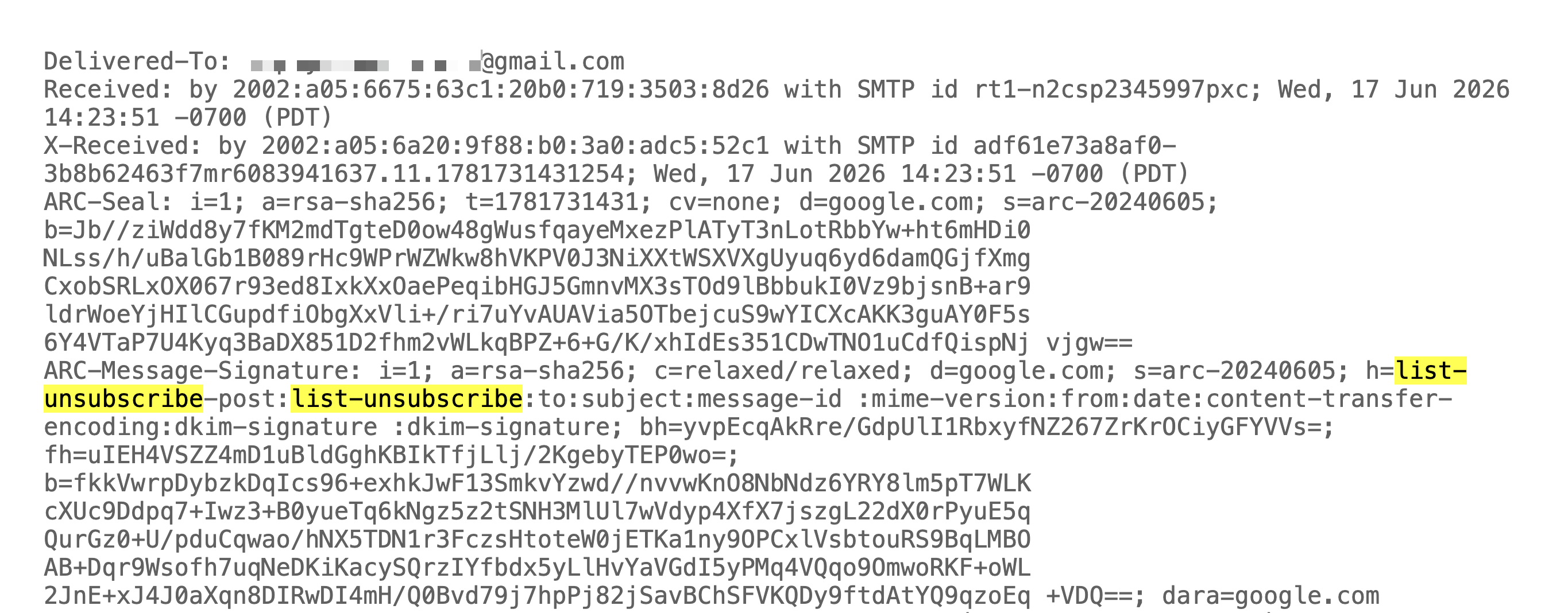
The setup looked right. Command-F for "list" in the raw headers, and there it was: a (very long) List-Unsubscribe header, pointing to a valid SendGrid unsubscribe link. Subscription tracking was enabled on the account, which is exactly why the header was there — SendGrid had written it automatically. By every checklist, the unsubscribe was configured correctly.
But in Gmail, the button was missing.
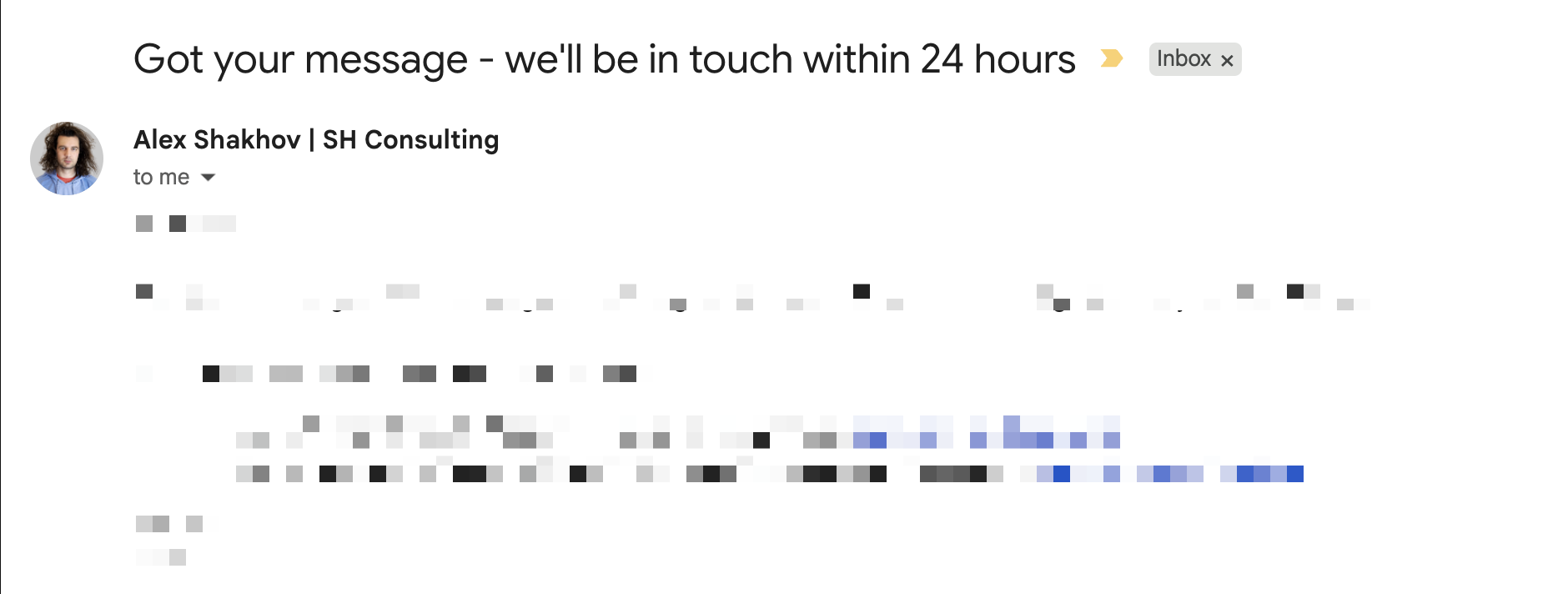
It was missing because Gmail had decided this sender might be a spammer and didn't want to help. The header was doing everything it was supposed to do; Gmail just wasn't honoring it. Configured properly, present in the message, and still invisible, because reputation was in the wrong place.
The button reappearing is a reputation signal
When you're working a sender out of a bad reputation hole, one of the first signs the recovery is taking hold is that the List-Unsubscribe button starts showing up again. Gmail begins extending the convenience back to you. The button returning is an early, visible signal that your reputation is climbing — often before it shows up cleanly in open rates or in your reputation dashboards.
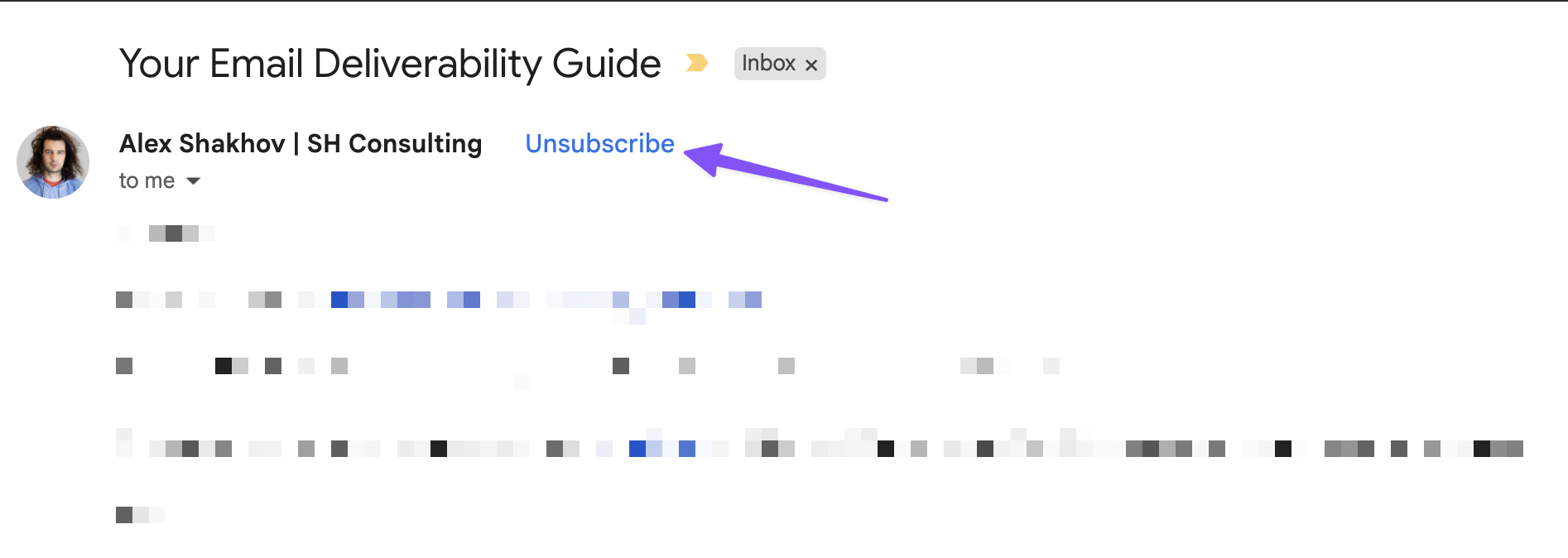
That makes the button useful beyond compliance. For a sender in trouble it works as a free diagnostic: watch whether Gmail renders it. Its absence tells you Gmail still distrusts you, and its return tells you you're on the right path. The thing to track was never whether the header is in the message — it's whether Gmail decided to show it.
What this means for how you read your own mail
Don't audit the unsubscribe by trusting the SendGrid settings page. Subscription tracking being on tells you SendGrid wrote the header. It tells you nothing about whether Gmail is rendering the button. You have to look at an actual delivered message in an actual Gmail inbox, not at the configuration.
When the button is missing, resist the urge to re-check the header syntax for the fifth time. If subscription tracking is enabled and the header is valid, the syntax is not your problem. Reputation is. The fix isn't in the header — it's in the engagement, the targeting, the complaint rate, and the sending discipline that move reputation, the same levers that determine why your Gmail emails go to spam and how to fix it. The button will come back when those move.
And put the header in even when you think you don't want people unsubscribing. Senders doing cold lead-gen or quasi-one-to-one outreach often resist it — they worry the header makes the mail look more promotional, or they simply don't want to hand recipients an easy exit. But if a mailbox provider has already decided your mail is promotional, withholding the unsubscribe path doesn't change that classification. It just pushes the recipients who want out toward the spam button instead — which is far more expensive than an unsubscribe. The header costs you a few unsubscribes. Its absence costs you complaints, and complaints cost you the inbox.
The takeaway
SendGrid adding the List-Unsubscribe header gets you to the starting line, not past it. The header asks Gmail to show an unsubscribe button; whether Gmail does it depends on your reputation. Watching for it is one of the cheapest reputation signals you have access to.
If your unsubscribe button is missing in Gmail, your problem isn't the header. It's that Gmail doesn't trust you yet. Fix the trust and the button comes back on its own — which is the kind of work an email deliverability audit is built to surface and sequence.
This one comes out of a live account audit — thanks to Luke Martinez for the framing. At SH Consulting we audit SendGrid accounts and email infrastructure for senders who depend on the inbox. If your unsubscribe button is missing, your open rates are sliding, or you just want to know whether Gmail trusts your mail — book a call.